Fuzzy Dream Dance AI: CapCut vs AI, other tools and prompts
Updated:
Short answer
A CapCut template for the dance swaps your photo into its own clip inside the app. MimicZip generates a new 10-second full-body dance on the web from one photo of a pet or an adult, with its own AI soundtrack and bonus previews in every pack.
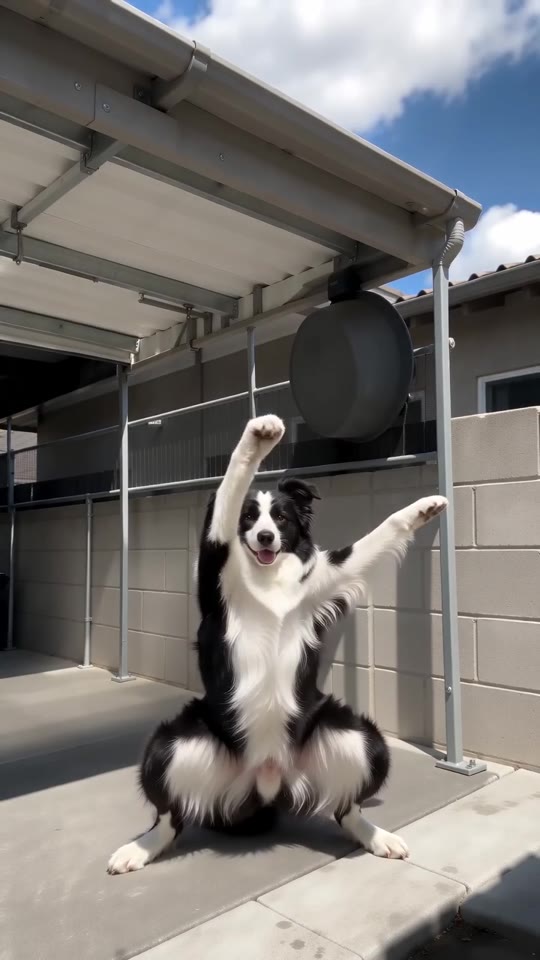
One photo, two routes
- Where it runs: a template sits inside the app and cuts your photo into its clip. MimicZip runs on the web and generates a fresh dance, with a beach, a stage or a rooftop as alternatives to the yard.
- Your pet: a flat photo of a pet slid into a template rarely moves its legs; here the dog or cat stands on its hind legs and does the squat itself.
- The moves: the key moments are the drop into the squat at 0 seconds, the hands on the head at about 3.5 and the one-arm finish at 8. Ours follows the @dowaynesmiler5 yard clip second by second.
- What comes back: a 10-second 720p clip with no caption and no logo.
- Cost: CapCut has free and paid features, so check its current plans. Here 1 credit is one full video with no watermark, and each pack includes watch-only previews.
Which one to use
A template suits you if you like cutting clips in the app. MimicZip suits you if you want your own dog, cat or full-body self in a finished dance with nothing to edit. You can also generate here and add the sound in CapCut.
Fuzzy Dream Dance AI vs general AI video tools: which one should I use?
General AI video tools give full control, but a prompt for a wide squat, arm rolls and a knee shake needs several tries: the legs fold, the arms merge and the dance drifts. MimicZip does one job: one photo becomes the Fuzzy Dream Dance, with a bonus preview and no prompt.
Where a prompt drifts
- What you type: a general tool wants a prompt and settings. MimicZip has no prompt box; you add one photo and choose the place, the outfit and the light.
- Five moves in a row: a squat, an arm roll, hands on head, a knee shake and a finish are easy to list and hard to time; models often blur two of them together.
- Low and wide legs: a deep squat bends the legs into shapes models rarely draw well, especially on an animal standing on two legs.
- The body: the whole body is in frame for ten seconds, so a drift in the face or the fur shows. Here the photo goes in as the reference for the entire clip.
- Cost: check each general tool’s plans. MimicZip sells one-time packs from $8.99 with bonus previews and no subscription.
When a general tool is better
Use a general tool for your own story or full camera control. Use MimicZip when you want this one dance from your photo, fast.
Questions people ask
Is Fuzzy Dream Dance AI made by CapCut or TikTok?
No. MimicZip is an independent tool, not linked to CapCut, TikTok or the accounts that posted the trend.
Can I use both?
Yes. Download the MP4, open it in CapCut and add your caption or the sound.
Which one is cheaper?
It depends on what you have. If you like the app and its templates, a template costs little. With only a photo, MimicZip starts at $8.99 and includes bonus previews with every pack.
Does Fuzzy Dream Dance AI use a general AI model?
Yes. A general video model draws the frames through an API, but the framing and the moves are fixed by our template. The Terms of Service say which model.
Can I write my own prompt on this site?
No. The scene is locked and there is no prompt box, which is how the clip stays on trend.
Why not just use a general tool?
You can. Choose a general tool if you want to direct each shot yourself. This site is for people who want the dance finished from one photo, with bonus previews in every pack.
Make your own Fuzzy Dream Dance video
Upload one photo and make a 10-second HD video from $8.99. No subscription, and the full video has no watermark.
Make my video